
Blog
Mastering the Android TV Ecosystem: Tips and Tricks (Final Day Sale)

The Android TV ecosystem has become the gold standard for modern home entertainment. Its flexibility, vast app library, and seamless integration with other Google services make it the preferred choice for millions of users worldwide. However, like any powerful operating system, the true potential of Android TV is often hidden beneath the surface. For SuperBox S6 and S7 owners, mastering these “hidden” features can take an already great experience and make it extraordinary.
As we reach the final day of our 20% OFF sale on SuperBox hardware, we’ve put together a comprehensive guide to help you master the Android TV ecosystem and get the most out of your new device.
Understanding the Power of SuperBox and Android TV
The SuperBox S7 is more than just a streaming box; it is a high-performance computer optimized for video playback. Because it runs on a refined version of Android TV, it benefits from the massive development community behind the platform. This means you have access to the same apps, security updates, and features that you would find on a high-end Sony or Philips smart TV, but with the added performance of the SuperBox hardware.
Here is how you can master your environment:
1. Optimize Your Home Screen
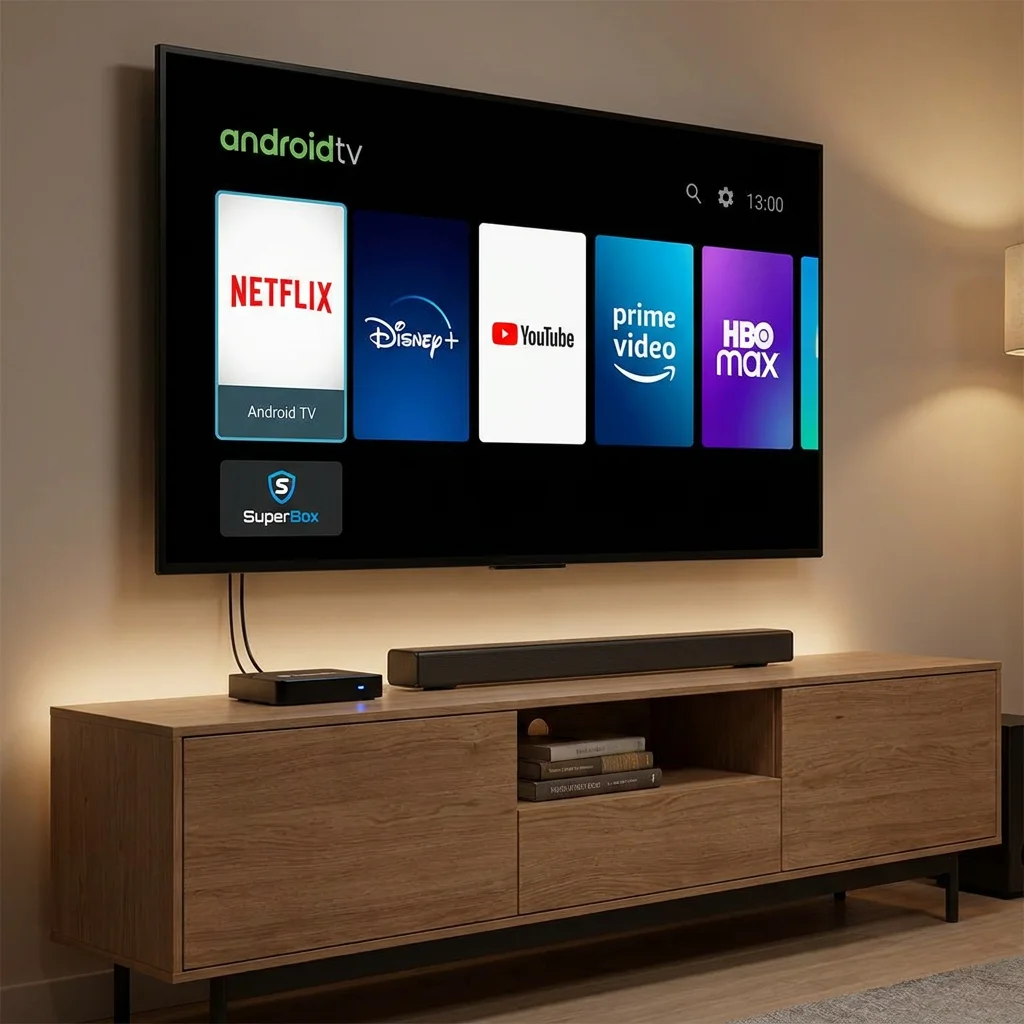
The first thing you see when you turn on your SuperBox is the home screen. Did you know you can customize this to show only the things you care about?
- Reorder Your Apps: Long-press the “OK” button on any app icon to move it. Place your most-used apps at the very beginning of the row for quick access.
- Customize “Play Next”: This row predicts what you want to watch based on your history. You can go into settings to toggle which apps are allowed to contribute to this row, keeping it clean and relevant.
- Remove Unwanted Rows: If there are “recommendation” rows from apps you don’t use, scroll to the bottom of the home screen and select “Customize Channels.” You can turn off individual rows to simplify your interface.
2. Take Control with Advanced Settings
While the default settings are great for most users, “power users” will want to dive a bit deeper:
- Enable Developer Options: Go to Settings > Device Preferences > About, and click on “Build” seven times. This unlocks a new menu where you can adjust animation scales (setting them to 0.5x makes the UI feel much snappier) and manage background processes.
- Storage Management: The SuperBox S7 comes with generous internal storage, but if you are a heavy gamer or downloader, you might want more. You can plug in a high-speed USB drive or a microSD card and “format as internal storage.” This allows the SuperBox to treat the external drive as part of its own memory, letting you install hundreds of apps without worry.
3. Mastering the Voice Remote
We’ve discussed the simplicity of the voice remote for seniors, but for tech-savvy users, it’s a powerful productivity tool:
- Launch Specific Actions: Try saying “Set a timer for 20 minutes” or “What’s the weather like in London?” The SuperBox can act as a voice assistant for your living room.
- App-Specific Commands: Many apps support voice search within their own interface. Instead of typing in a search bar, just trigger the voice button while the app is open.
4. Sideloading and App Versatility
One of the biggest advantages of the SuperBox ecosystem is the ability to install apps from outside the official store (sideloading). While the official store has thousands of options, some specialized tools or older versions of apps might need to be installed manually via an APK file.
- Use a File Manager: Install a reputable file manager from the store. You can then use a USB drive to transfer APK files to your SuperBox.
- Enable Unknown Sources: Ensure you go into the security settings to allow the installation of apps from unknown sources. Note: Only install apps from sources you trust to maintain the security of your device.
5. Network Optimization for 4K/6K Content
Streaming high-resolution content requires a stable and fast connection. Here is how to ensure your SuperBox is performing at its peak:
- Ethernet vs. Wi-Fi: Whenever possible, use a wired Ethernet connection. It provides lower latency and more consistent speeds than Wi-Fi, which is crucial for 6K playback on the S7.
- 5GHz Wi-Fi: If you must use Wi-Fi, ensure you are connected to the 5GHz band of your router. The 2.4GHz band is often crowded and slower. The SuperBox S7’s advanced antennas are optimized for 5GHz performance.
- Background Data: If your internet is slow, you can limit background data usage in the settings to ensure that the app you are currently watching gets all the available bandwidth.
6. Keyboard and Mouse Integration
For those who want to use their SuperBox for more than just video—such as browsing the web or light productivity—you can plug in a wireless keyboard and mouse combo. The SuperBox recognizes these devices instantly, turning your TV into a large-screen computer. This is particularly useful for searching for complex URLs or filling out forms.
7. Regular Maintenance for Longevity
To keep your SuperBox running like new, follow these simple maintenance tips:
- Clear Cache Regularly: Like any computer, apps build up temporary files. You can go into Settings > Apps and clear the cache for individual apps that seem to be running slowly.
- Update Your Apps: Developers are constantly releasing performance improvements. Check the store regularly for updates.
- Restart Weekly: Instead of just putting the device to sleep, give it a full restart once a week. This clears out system memory and ensures everything is running fresh.
The Financial Logic: Why Buy During the Sale?
You might be wondering, “Do I really need the latest S7 model?” The answer lies in future-proofing. As streaming quality moves from 4K to 6K and 8K, older, cheaper hardware will begin to struggle. By investing in the SuperBox S7 today—especially while it is 20% OFF—you are ensuring that your entertainment setup will remain relevant and high-performing for years to come.
Think of it this way: the 20% you save today can be put toward a year of your favorite streaming service or a high-quality HDMI cable. It’s a rare opportunity to get flagship technology at mid-range prices.
FINAL DAY: The Sale Ends at Midnight
This guide to mastering Android TV is just the beginning. The real discovery happens when you have the hardware in your hands. But that opportunity is closing fast.
Our 20% OFF sale on the SuperBox S6 and S7 is in its final hours.
- The SuperBox S7: For the master who wants every feature, the highest resolution, and the fastest speeds.
- The SuperBox S6: For the user who wants a reliable, powerful, and affordable entry into the premium Android TV world.
Both models represent the pinnacle of current streaming hardware technology. Both models are currently at their lowest prices of the year.
A Note on Security and Authenticity
When you are looking to master your ecosystem, you want to start with a foundation you can trust. Only buy from authorized dealers to ensure you receive a genuine SuperBox device with a valid warranty and access to official updates. Today is the final day to get these genuine devices at a 20% discount.
Conclusion
Mastering the Android TV ecosystem isn’t just about knowing which buttons to press; it’s about tailoring your technology to fit your lifestyle. Whether you are a casual viewer or a hardcore tech enthusiast, the SuperBox S6 and S7 provide the perfect canvas for your entertainment needs.
Take the leap. Upgrade your hardware. Master your living room. The 20% OFF sale ends tonight. Visit our authorized store now and secure your SuperBox before the price goes back up.
Disclaimer: Customizing system settings should be done with care. Always ensure you are following the latest safety and security guidelines for Android devices.
More From SuperBox Official
- → SuperBox S7 Ultra — 128GB | 6K
- → SuperBox S7 Max — 64GB | 6K
- → All SuperBox Devices

